Clonezilla is a free, open-source tool for disk imaging and cloning, ideal for backing up data from a failing drive before it fails completely. It can create an image of the entire drive or clone it to another drive, and it intelligently handles bad sectors to maximize data recovery.
Information
Clonezilla is best run from a bootable live media, so you will need to create a bootable USB or CD/DVD with Clonezilla to use it.
Alternatively, you may utilize the rTS Debian live media created in this guide which already comes with Clonezilla pre-installed.
How to install Clonezilla
Refer below for installation instructions if you are not using our live image or want to install it on your own system.
Installing Clonezilla
Debian / Ubuntu / Linux Mint:
Terminal window
sudoaptupdate && sudoaptinstallclonezilla
Fedora / RHEL / CentOS / AlmaLinux: Clonezilla is not available in the default repositories for these distros, so you will need to add the external repository:
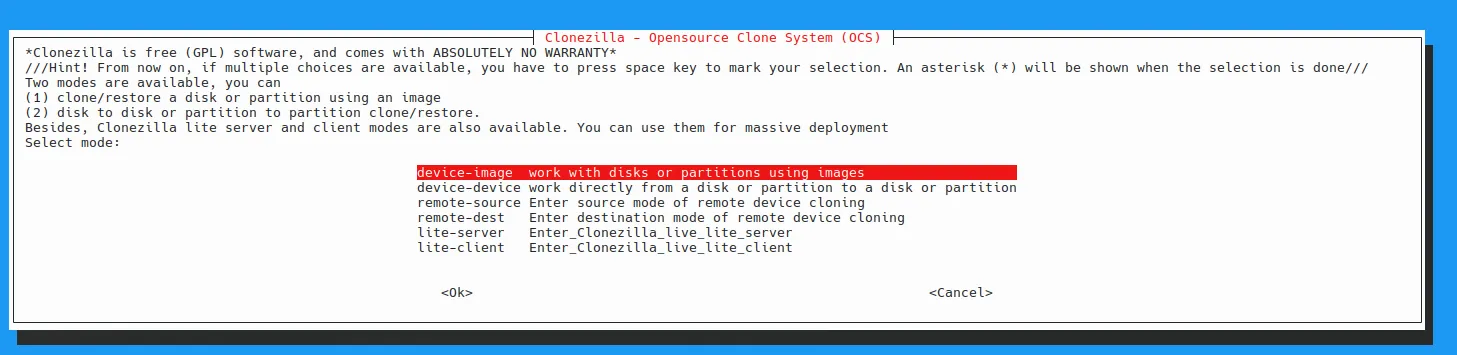
Run sudo clonezilla to launch the text-based menu. Choose “device-device” for direct disk/partition cloning (e.g., failing drive to healthy one) or “device-image” for imaging.
It is recommended you select beginner mode if you have not used Clonezilla before, identify drives carefully with labels or lsblk, and use “-rescue” for bad sectors on failing drives. Images save to a mounted target directory; restore similarly.
Before running Clonezilla, you must know the correct device names for the source (failing drive) and destination (healthy drive or image file). Refer to our guide on how to identify failing drives in Linux for detailed instructions on listing and identifying your drives.
Limitations of Clonezilla and when to use other tools
The installed Clonezilla frontend cannot clone mounted or running system partitions reliably—unmount them first or use Live mode. Risk overwriting wrong drives; always verify source/target twice.
Important
For failing drives, expect partial reads; supplement with ddrescue if needed. Clonezilla is not suitable for network/PXE cloning (use DRBL/Clonezilla SE for that).